
Google Hangouts Crashes Chrome

Latest stable Google Chrome crashes when starting Google Hangouts

This is on Windows 10 Preview, updated drivers, updated flash, clean Chrome install, re-installed Chrome, deleted user profile - all of these failed to resolve the crash when trying to start a Google Hangouts.
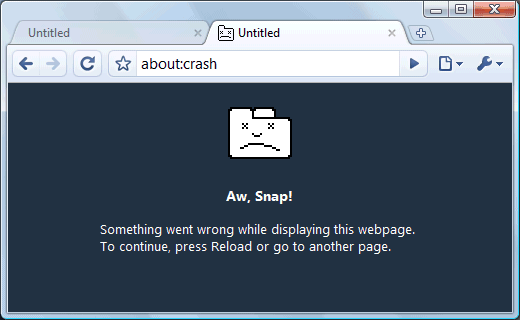
Solution is to un-install Google Stable and install Google Canary. Feel free to comment or follow me on twitter @danielsokolows if this post has helped you.

Comments

Popular posts from this blog

Storing passwords in PuTTY

How to save SSH username/password for auto login in PuTTy The answer is you can't do it...at least in plain PuTTy. However there is an awesome fork with that let's you store the username and password and other additional features called KiTTy . So grab yourself a copy and +1 this if you do, thanks.

Softeher 'Error occurred. (Error code: 2)' sollution

Protocol error occurred. Error was returned from the destination server. The Softether server by default to run on port 443 , if you server also hosts normal https then 443 is already taken and so Softether can't bind to it. When you run `vpncmd` it attempts to connect, find an active port, but of course fails with 'Protocol error occurred. Error was returned from the destination server.' because it's not actually connecting to the vpn server. By default Softether also listens on 992 , 1194 , and 5555 so the sollution is to modify specify `localhost:5555` when executing the `vpncmnd`. If this has helped you feel free to comment or follow me on twitter @danielsokolows .

LightScribe Template Labeler for Windows 10

LightScribe Template Labeler installation "Operating System Inadequate" Issue Unfortunately 'LightScribe Template Labeler' installation will not work on Windows 8 and Windows 10 machines as the install simply will error out with 'Operating System Inadequate'. Trying to install using compatibility mode did not help. Installing LightScribe Template Labeler Workaround However if you simply copy the installed folder from an older machine like Windows 7 into your `C:\\Program Files (x86)\LightScribe Template Labeler`, create a shortcut, then the software will still happily work, see: http://answers.microsoft.com/en-us/windows/forum/windows8_1-performance/lightscribe-templatesimple-labeler-the-system-is/c2ebee28-bfb5-4aef-beb3-a43329561da8?db=5&auth=1 So you can install Windows 7 machine in a virtual machine, install 'LightScribe Template Labeler', and then copy the resulting folder to your Windows 8 or Windows 10 machine. For my own convenien...